
Fokus utama
Tambahkan bidang tanggal kedaluwarsa ke produk, hitung masa pakai, dan pantau peringatan kedaluwarsa di dalam inventaris.
Panduan video
Gunakan kontrol pemutar untuk berhenti di setiap langkah. Panduan tertulis di bawah tetap menjadi acuan utama.
Bidang tingkat produk
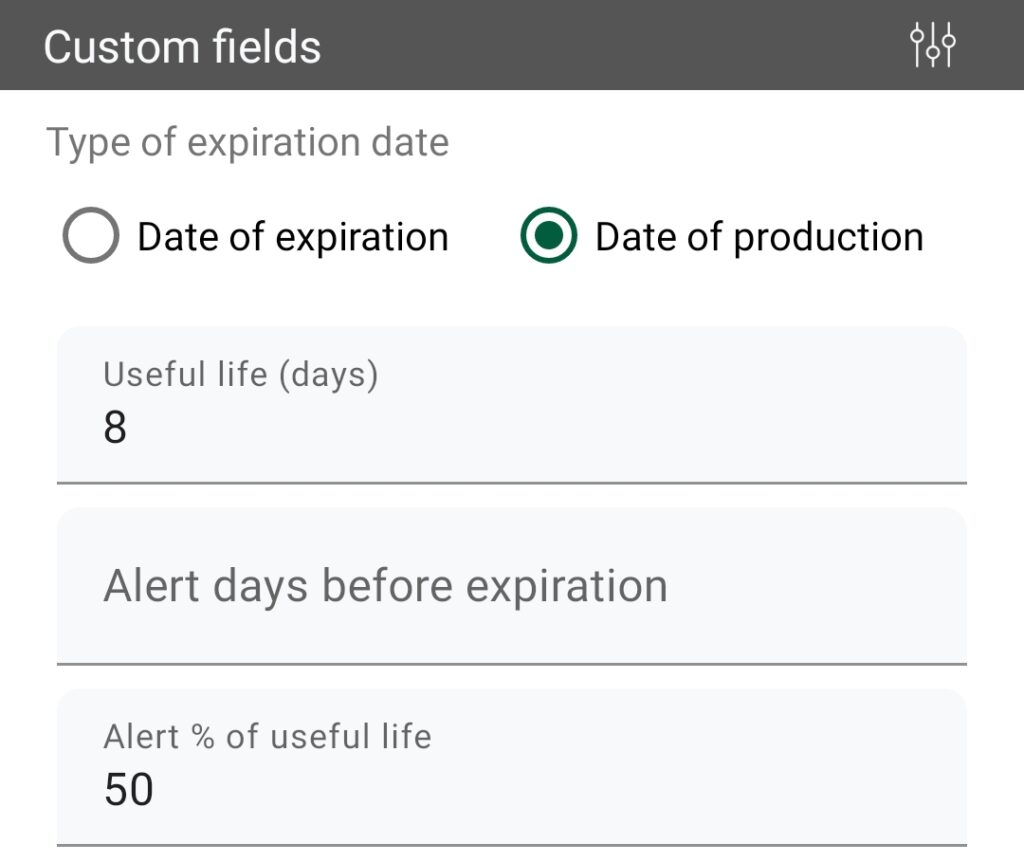
Tanggal produksi atau tanggal kedaluwarsa
Pilih apakah Anda ingin mencatat Tanggal Produksi atau Tanggal Kedaluwarsa untuk setiap produk. Jika menggunakan Tanggal Produksi, isi juga Masa Pakai (dalam hari) agar aplikasi dapat menghitung tanggal kedaluwarsa.
Contoh penggunaan
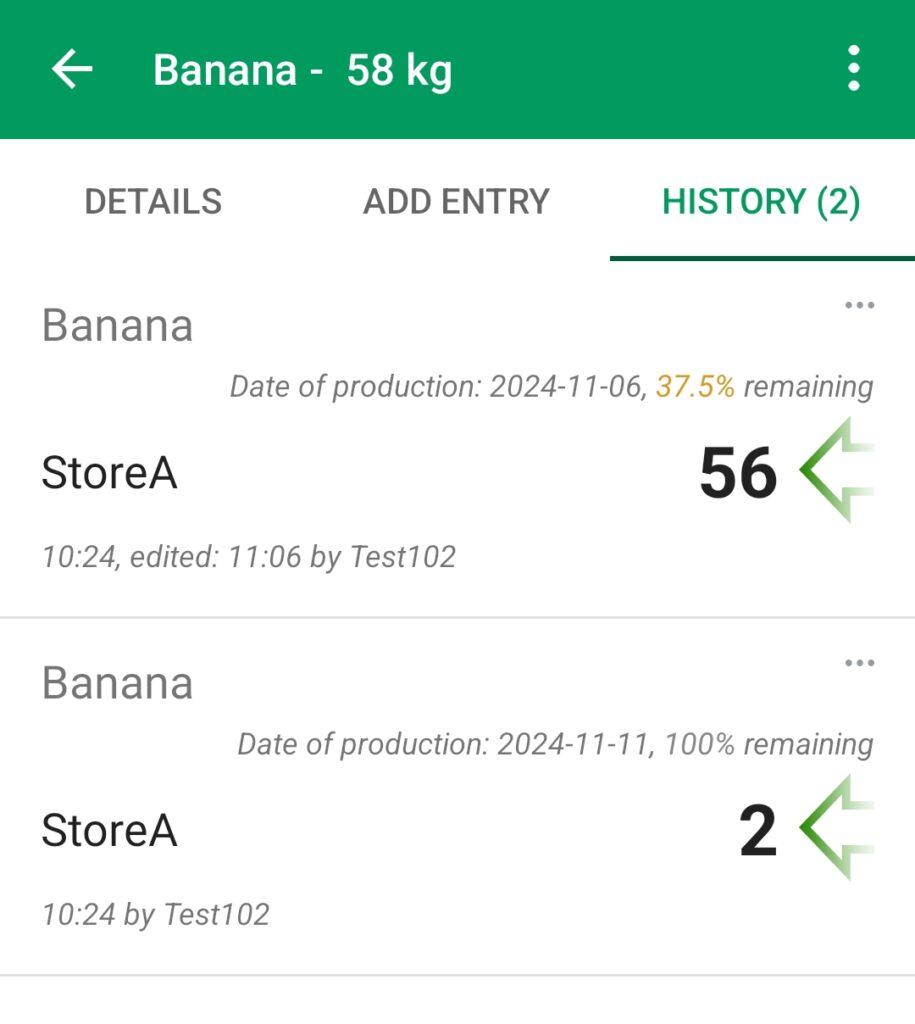
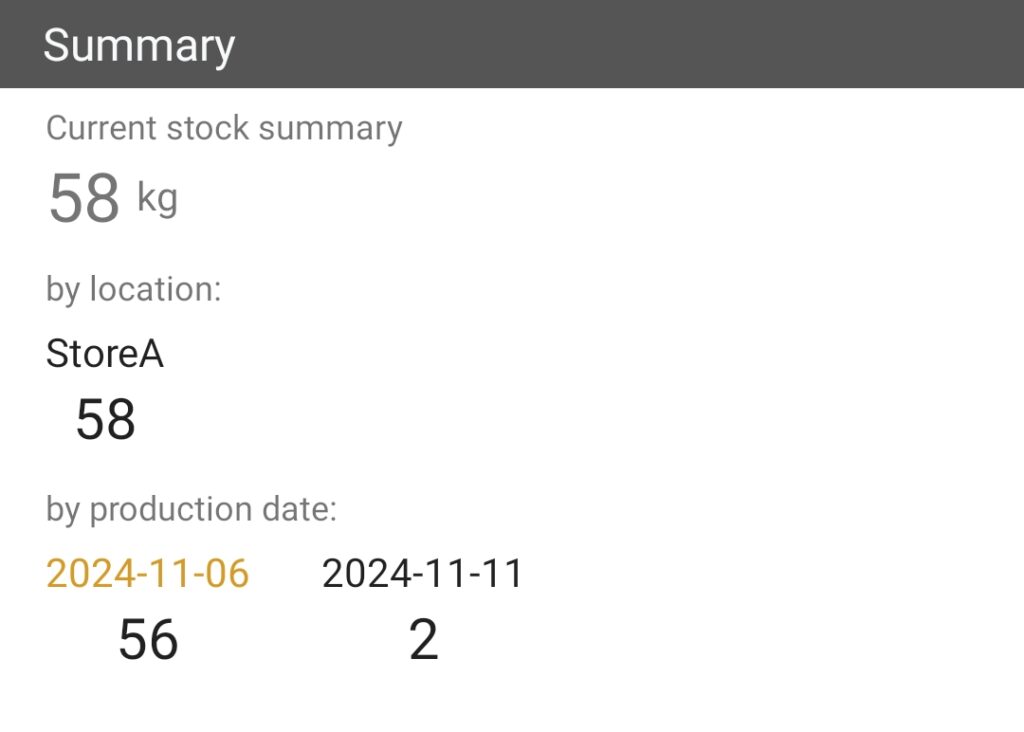
Ambil produk Banana dengan masa pakai 8 hari. Jika Anda ingin menerima peringatan saat sisa masa pakainya kurang dari 50%, atur Peringatan % Masa Pakai ke 50.
Gunakan panduan langkah demi langkah ini untuk mengaktifkan bidang Tanggal Kedaluwarsa di inventaris Anda.
Gunakan panduan langkah demi langkah ini untuk memakai bidang Tanggal Kedaluwarsa setelah Anda menambahkannya ke inventaris.